
From Industrial to Intuitive
Designing Safety and Simplicity into Consumer Laser Engraving Software
Context
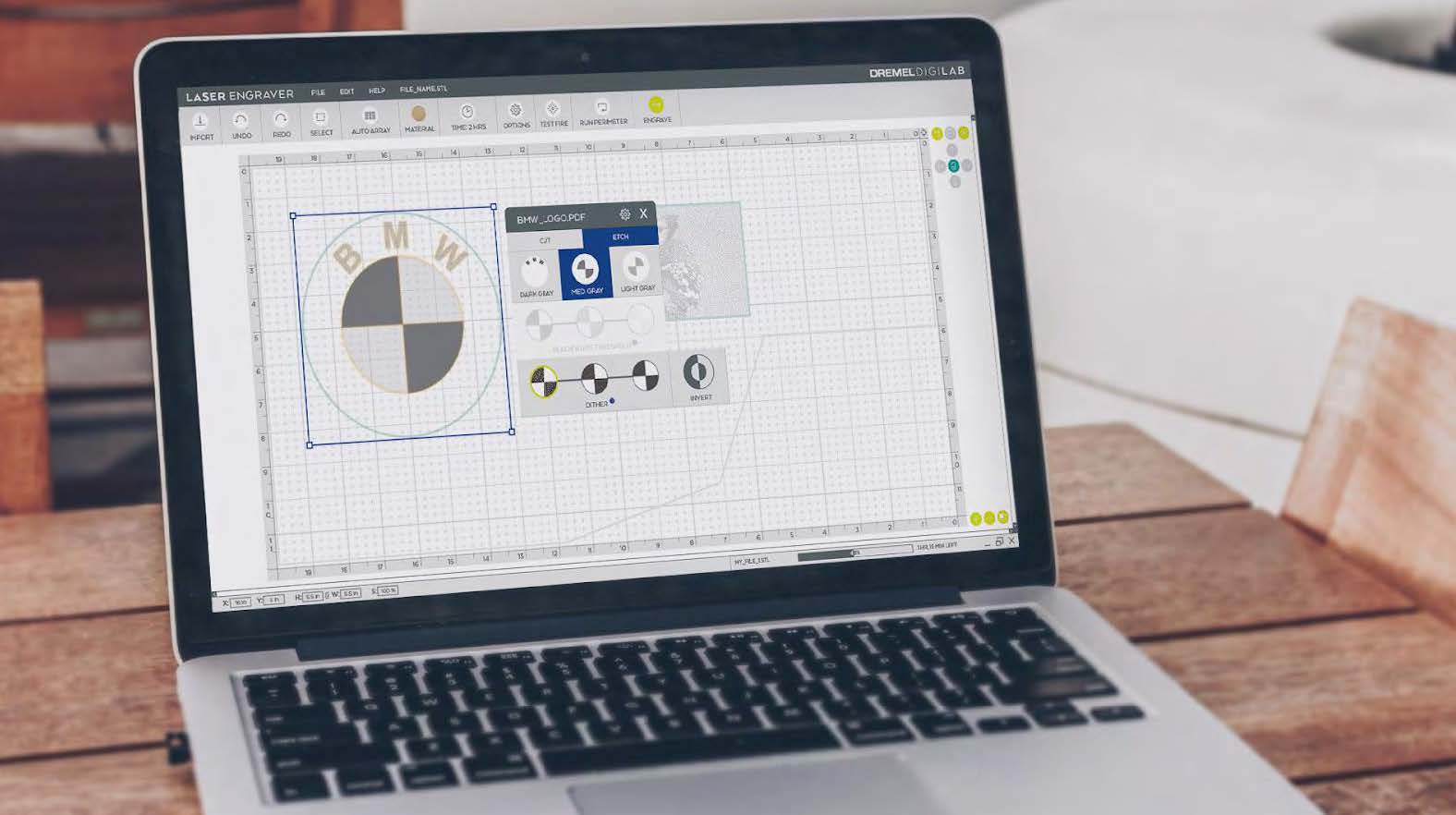
Dremel had built momentum with the DigiLab 3D printer line — a creative tools ecosystem targeting teachers, students, and makers. A laser engraver was the natural next step. To move quickly, Dremel white-labeled Full Spectrum Laser's Muse hardware and tasked TEAMS with differentiating through software, safety compliance, and brand cohesion.
The laser engraver would be the second major product in the DigiLab family. The interface had to feel like its own thing while staying visually connected to the line Dremel's audience already knew.
Before
Problem
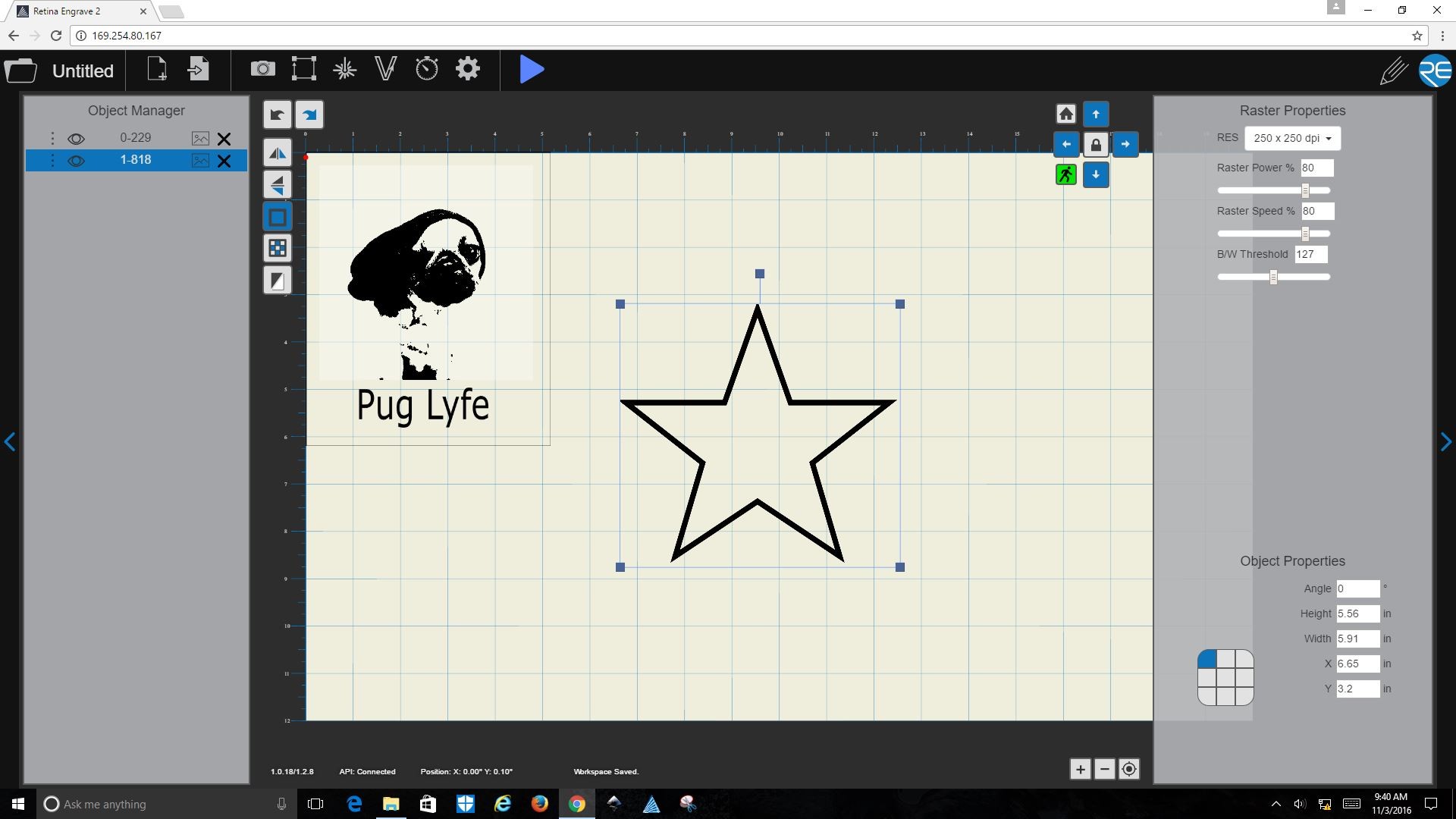
FSL's existing software was designed by engineers, for engineers. It exposed over 40 parameters simultaneously — functional for industrial users, but genuinely overwhelming for Dremel's core audience.
Shipping with FSL's interface wasn't an option. It would have undermined everything Dremel's brand promised: accessible, trustworthy tools for creative people. The challenge wasn't simplifying a complex tool. It was making a complex, potentially dangerous tool feel approachable — without stripping the capability that semi-professional makers depended on.
After
Approach
Andreas (TEAMS President) and I anchored the entire product around a single design philosophy: Perceived Simplicity — don't reduce capability, reduce cognitive load.
Three strategic decisions shaped everything:
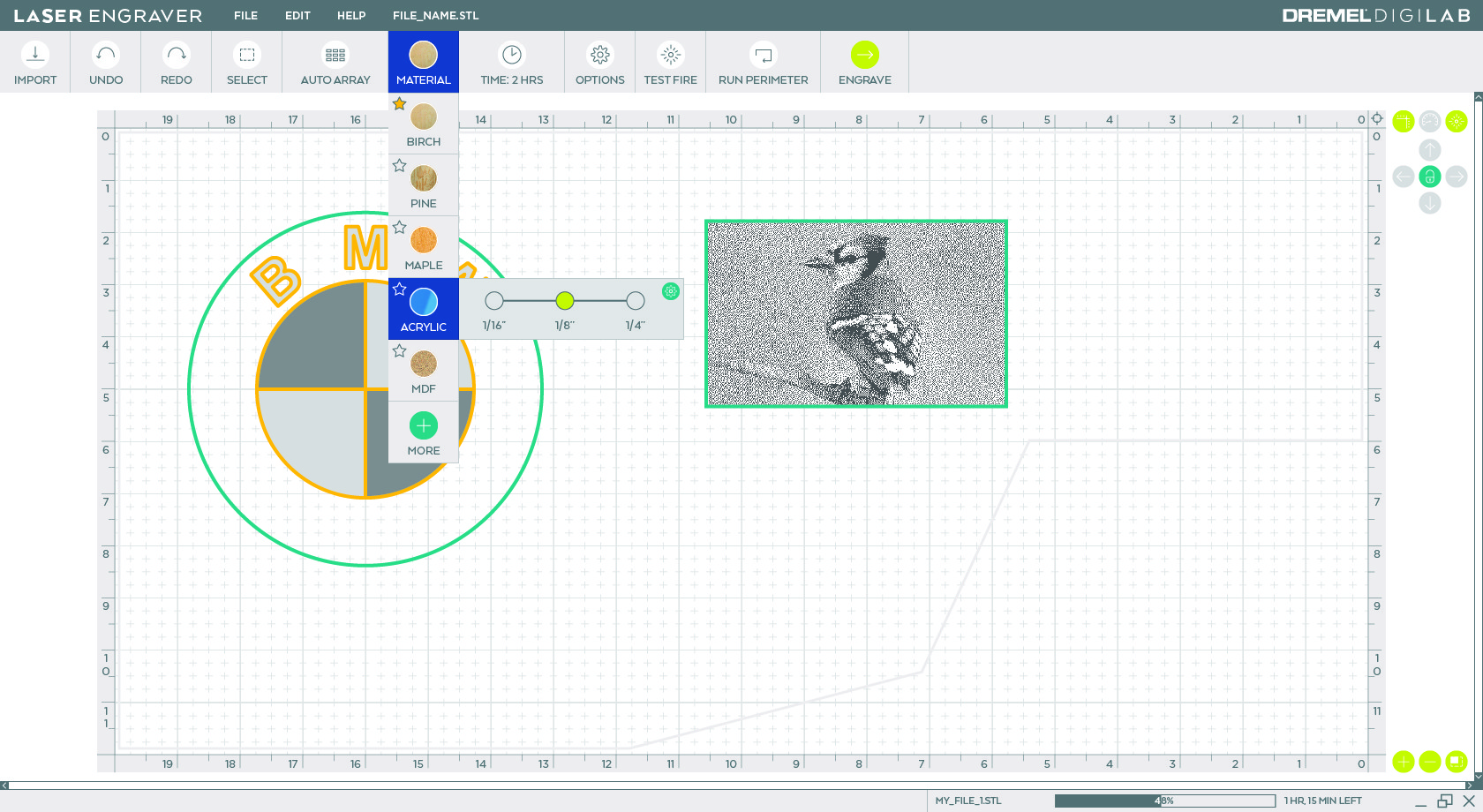
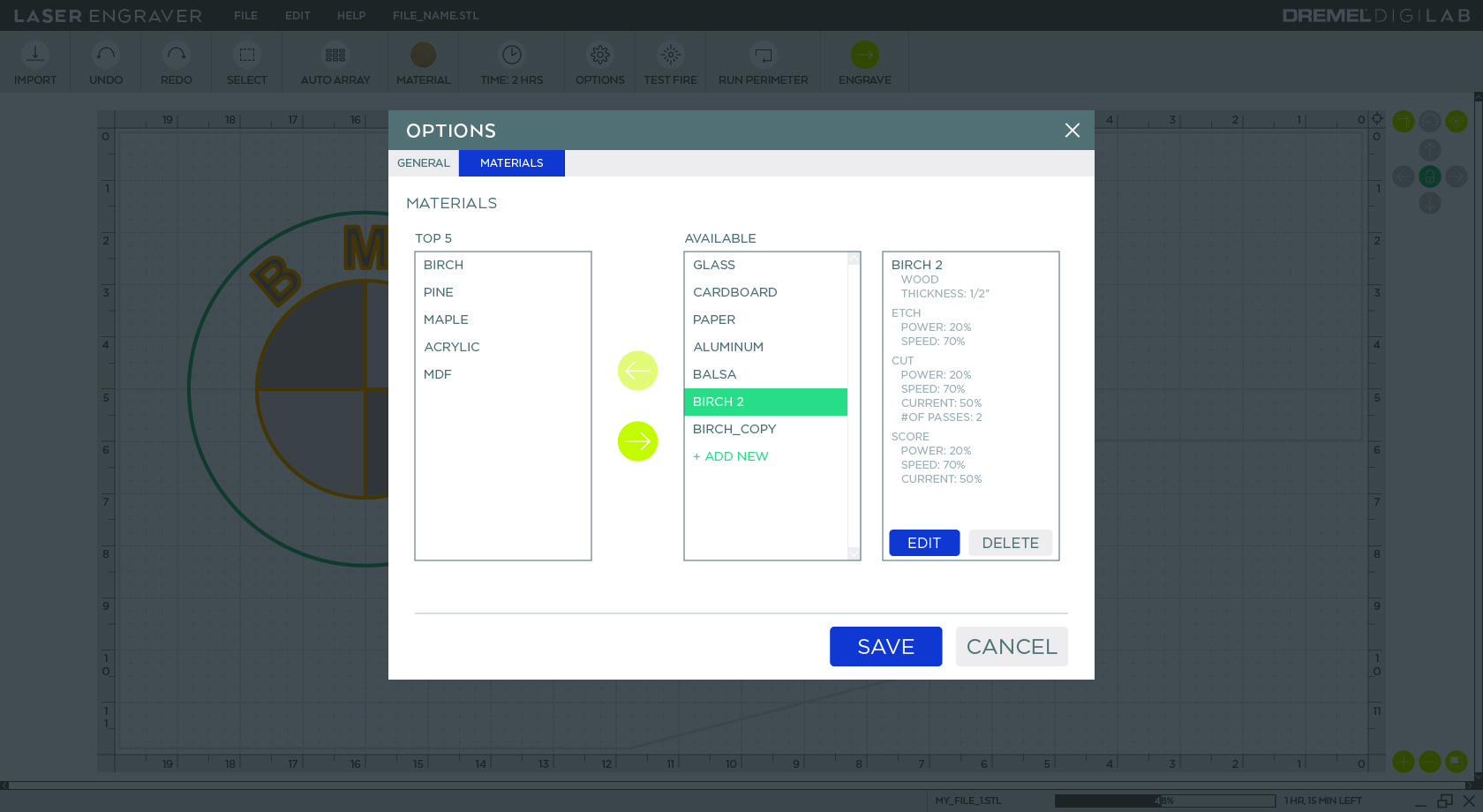
Material-first workflows. Users select material type before anything else. Technical parameters (laser power, speed, passes) are bundled into presets. Advanced users can override — but defaults work for 80% of use cases. This scaffolds learning for beginners and enforces safety by design.
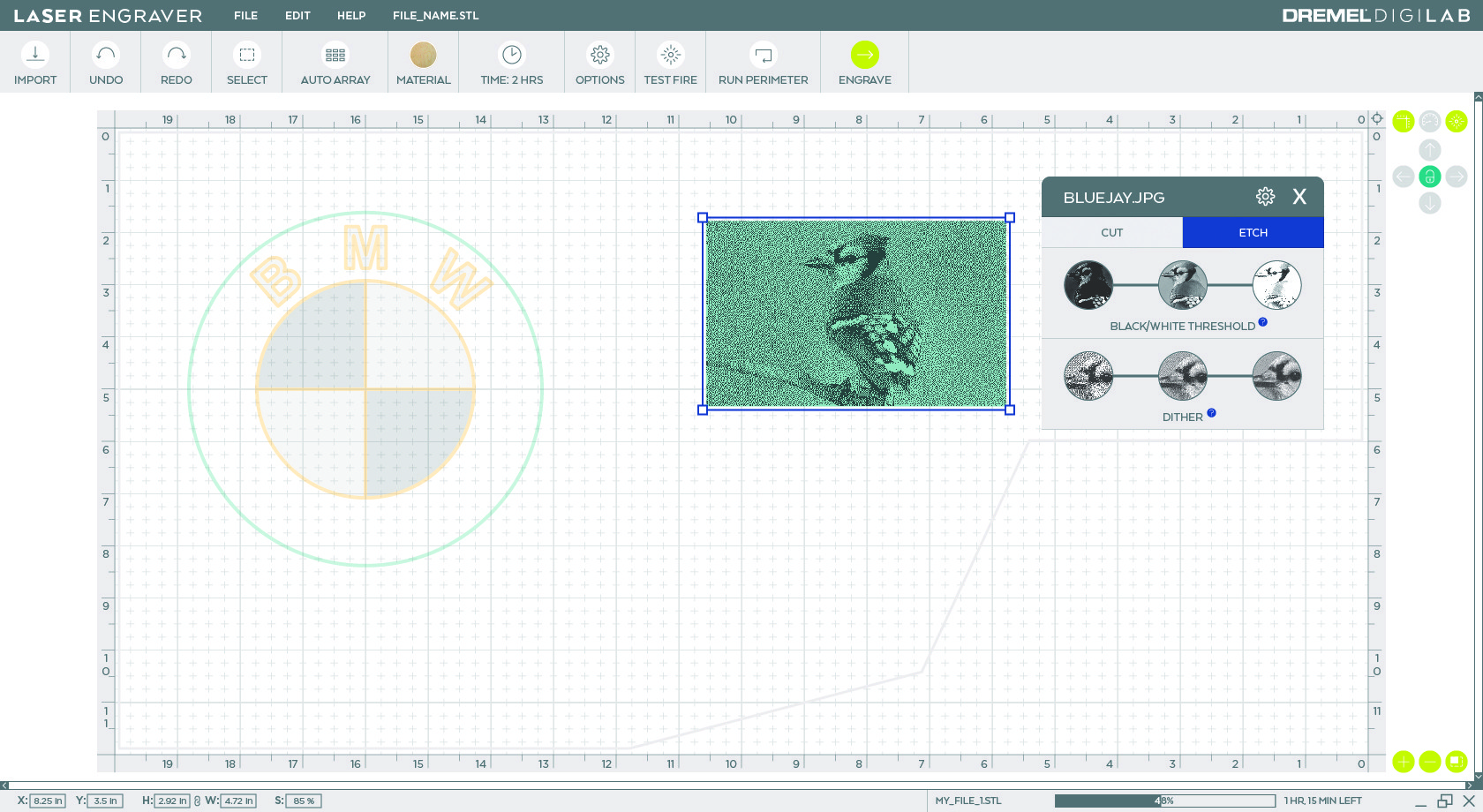
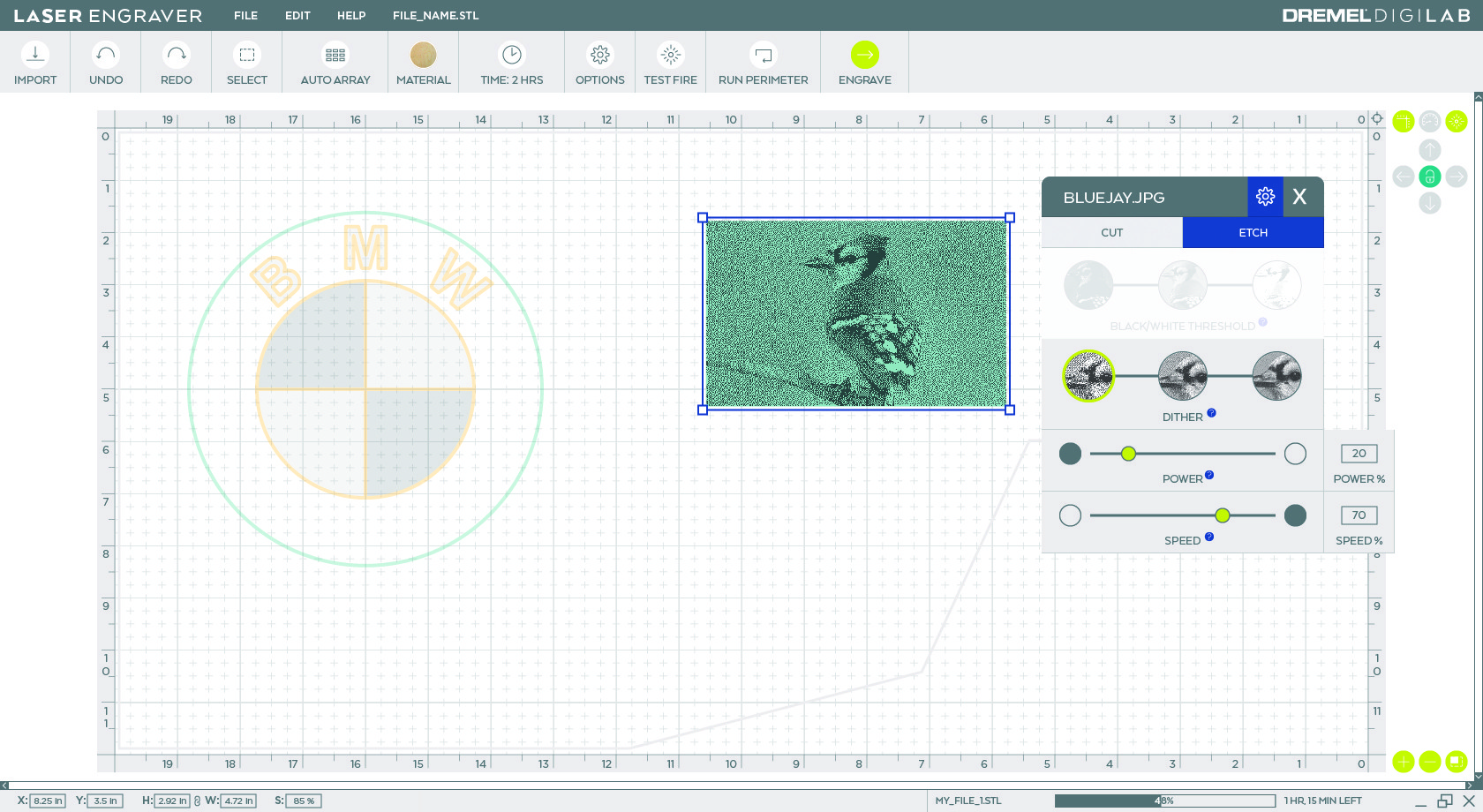
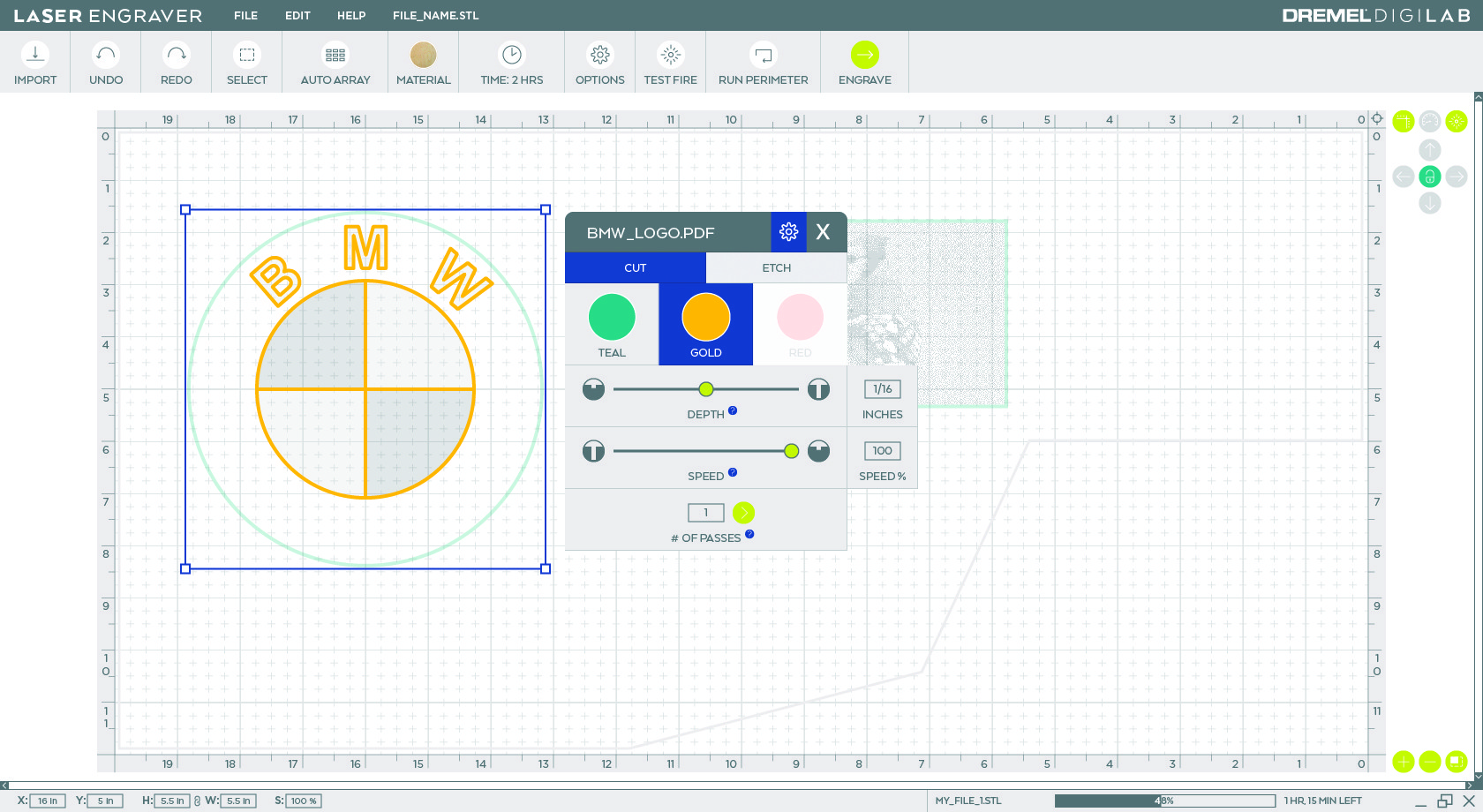
Progressive disclosure. A guided "New Project" flow walks beginners step-by-step through setup. Pros can bypass it entirely. Advanced controls appear only when an object is selected — capability reveals itself as users need it, not all at once.
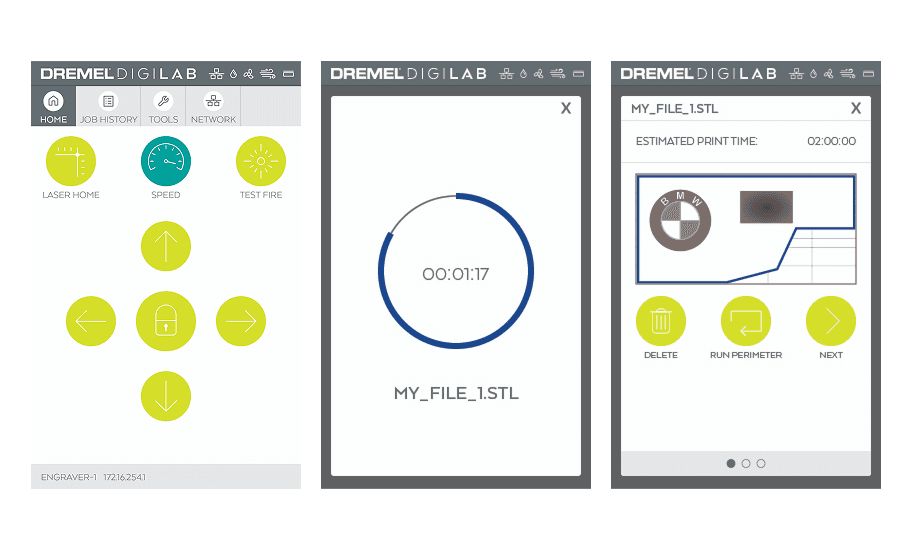
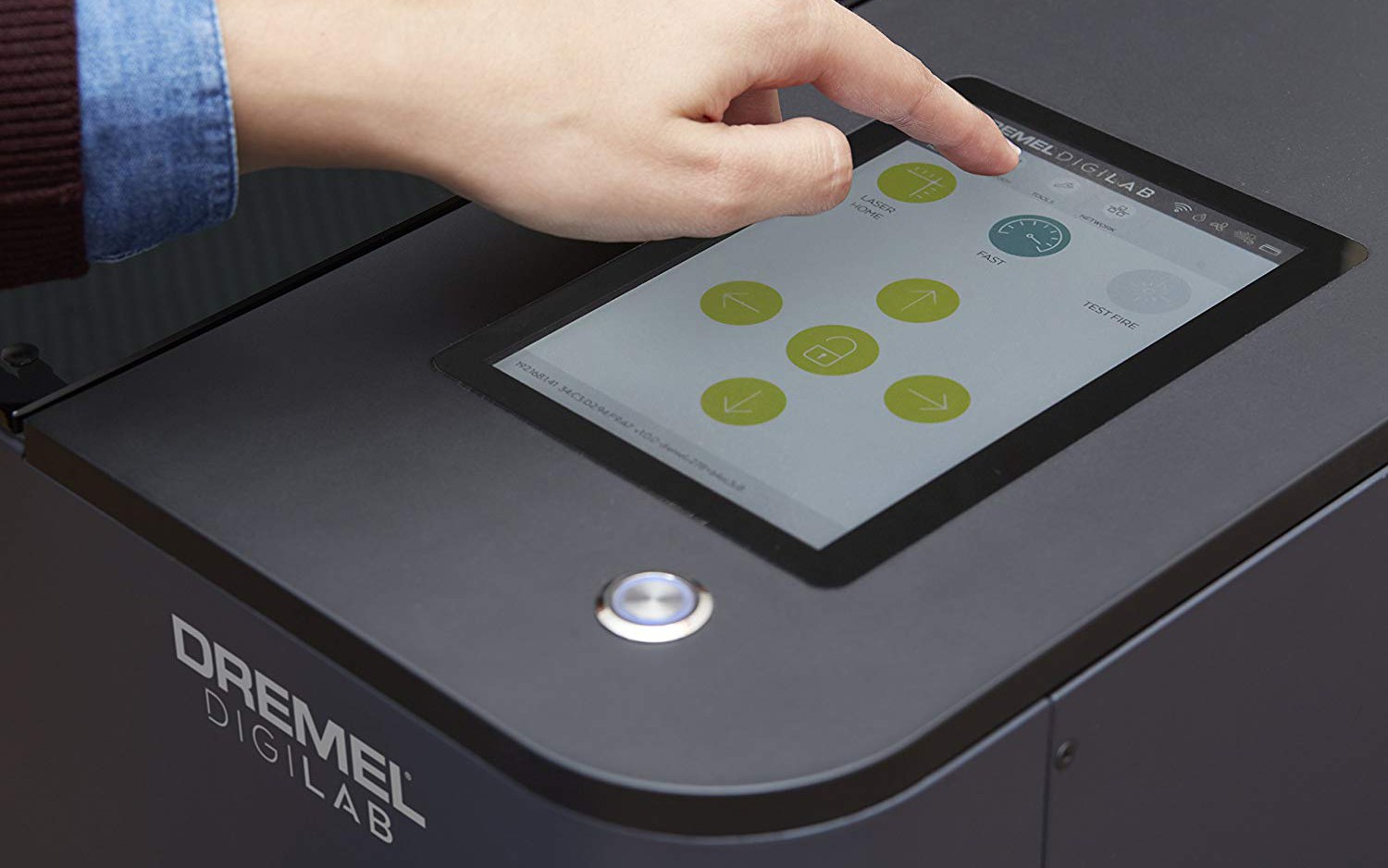
Separated environments. Desktop app for creative work. HMI touchscreen for machine operation. This mirrors real-world behavior and let us optimize each interface for its context — precision for the desktop, quick actions for gloved hands at the machine.
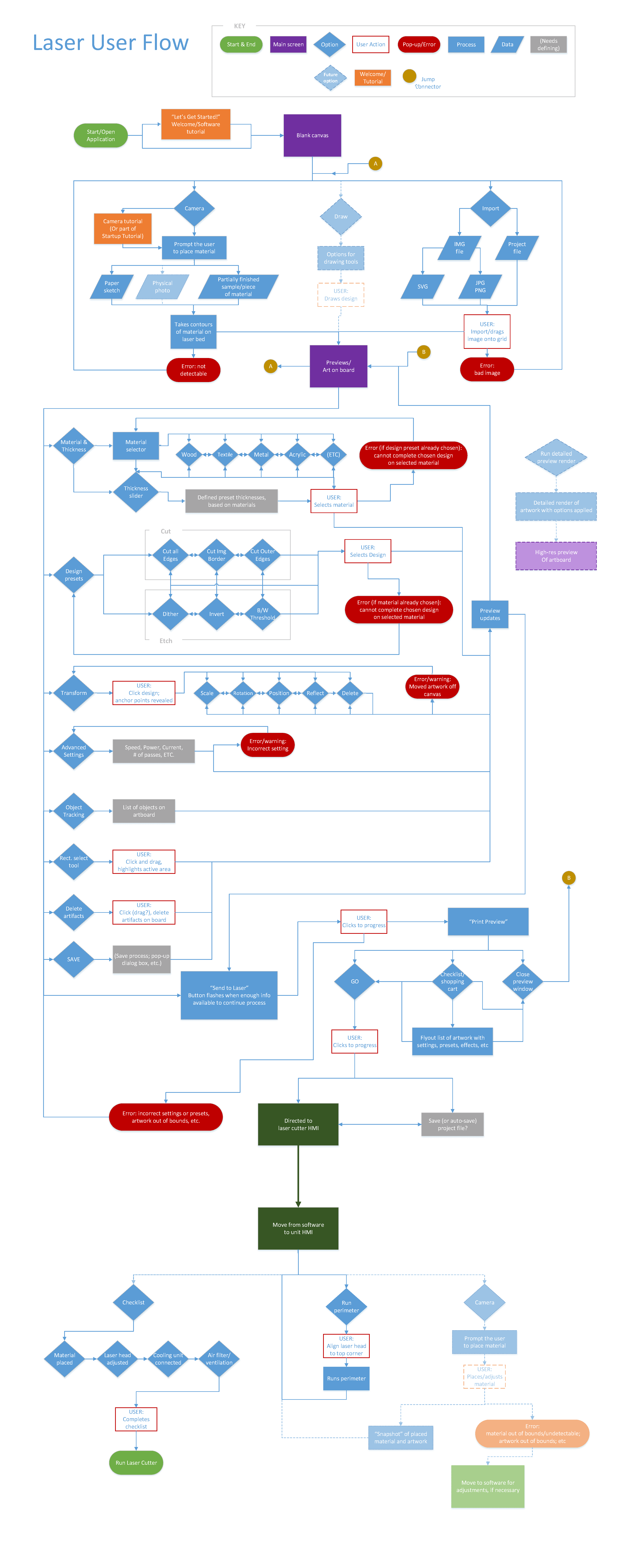
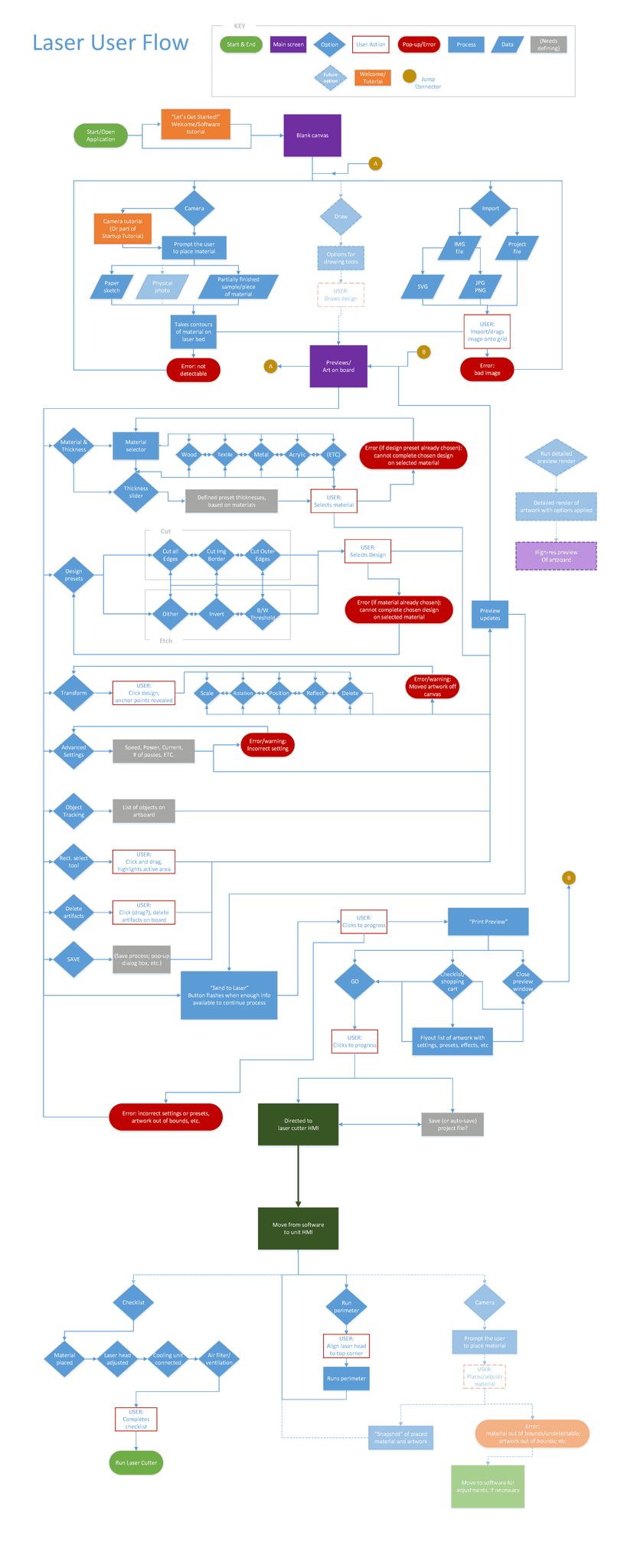
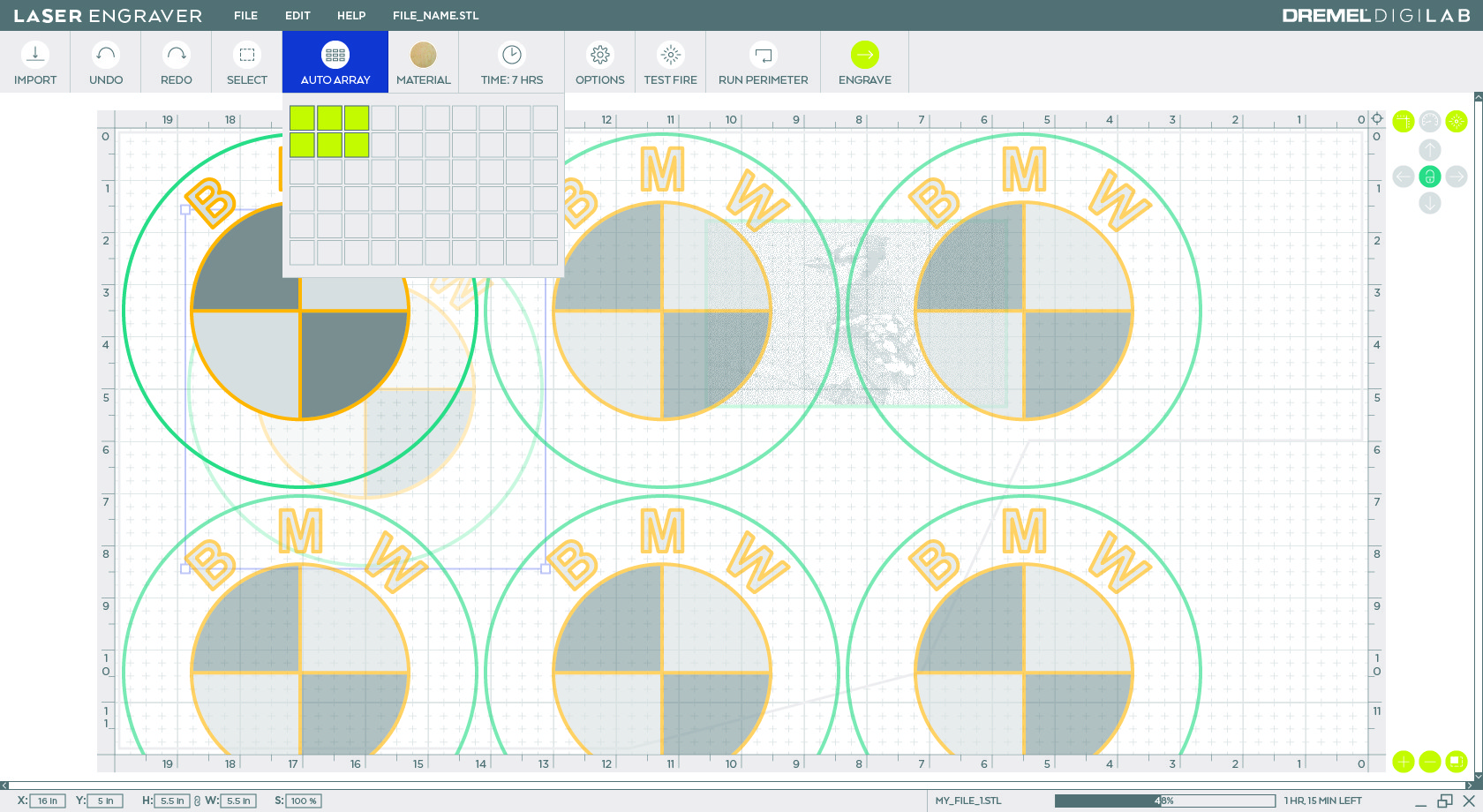
We also made deliberate cuts. The array tool and camera input were moved to v1.2 — both essential for power users, neither essential for the core workflow. Testing validated the tradeoff: users preferred a polished core experience over a feature-complete but rough one.
I validated the approach through usability studies with two deliberately contrasting groups: middle school students (lowest technical floor) and semi-professional makers (highest expectations). If it worked for both extremes, it would work for everyone in between.
As the only designer coordinating across Dremel, FSL, and TEAMS, I learned that good UX means different things to different stakeholders.
Safety vs. usability. Dremel's safety team wanted warning modals throughout the desktop software. I pushed back: modal dialogs create alert fatigue — users click through without reading. Instead, we moved safety checks to the HMI touchscreen, where users were physically present at the machine. Compliance requirements met, cleaner experience delivered.
Progressive disclosure vs. "everything visible." FSL's developer resisted the simplified interface — their mental model was industrial users who knew every parameter. I walked them through the rationale directly: we weren't removing features, we were making them contextually available. Once they understood we were optimizing for discoverability, not capability reduction, they came around.
Solution
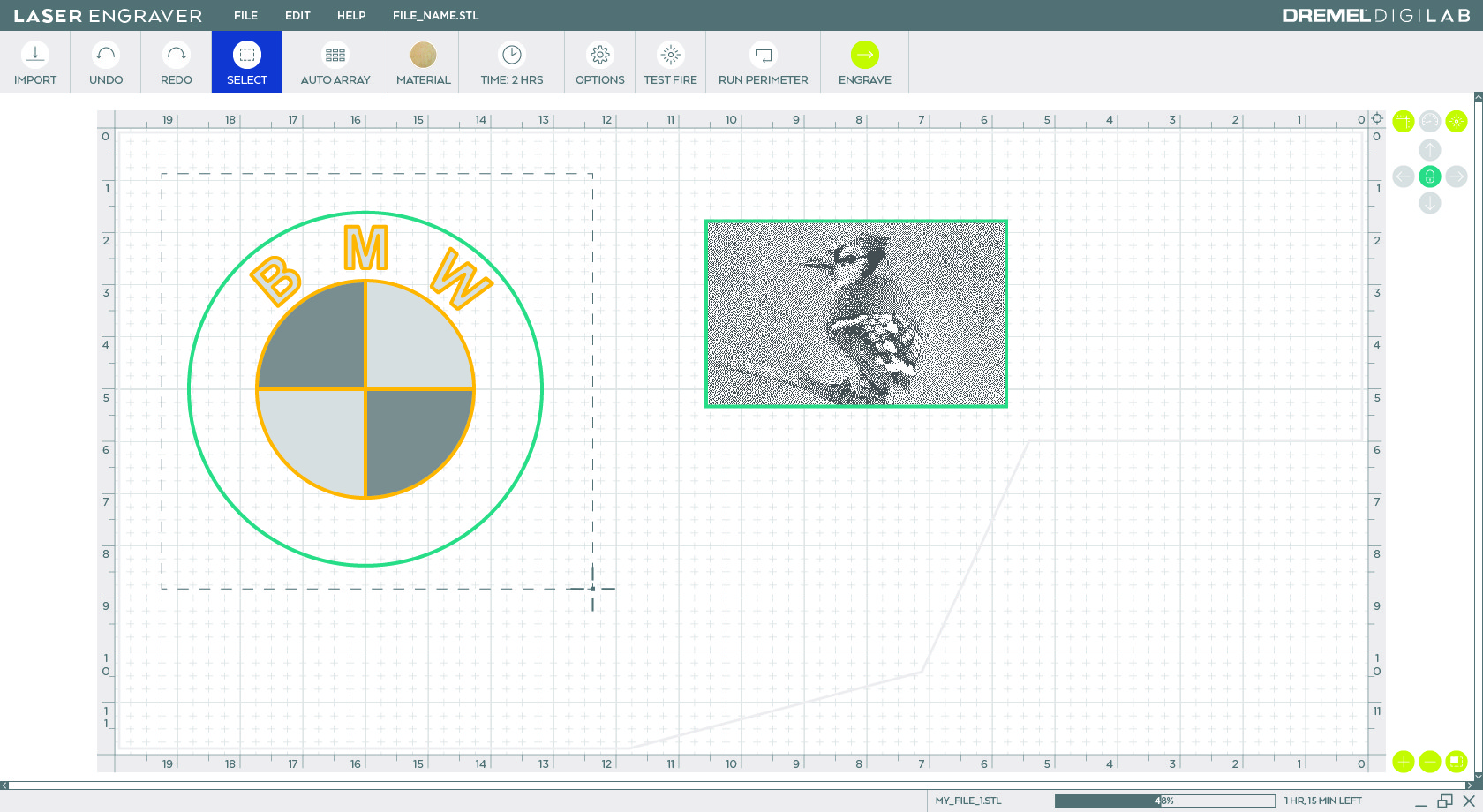
Desktop application — Material presets eliminate parameter guesswork for beginners. Progressive disclosure surfaces advanced controls (power, speed, passes, dithering) only when relevant. Preview mode renders realistic material output before a single cut is made.
HMI touchscreen — Reduced from 30+ buttons to 5 core actions. A setup wizard walks through material calibration, ventilation check, and focus adjustment — safety-critical steps built into the flow, not bolted on. Custom illustrations replace text-only instructions, essential for classroom handoffs. Final start action requires a physical button press at the machine.
Impact
The interface earned a UI design patent — recognition that the solution represented novel, defensible intellectual property, not just good design execution.
Press response confirmed the core hypothesis:
"Simple to use"
— Tom's Guide
Material presets "provide
a good starting point"— Tested
"Extremely intuitive"
— Top3DShop
Semi-professional makers, initially skeptical that presets would dumb down the tool, reversed course once they discovered custom profile saving — praising it for streamlining repeat production runs. The "Perceived Simplicity" framework worked: the same software felt accessible to middle schoolers and powerful to pros.
The UX patterns established here — material-first workflows, progressive disclosure, safety integrated into flow — became TEAMS' template for subsequent industrial-to-consumer product conversions, including additional DigiLab updates.
© 2026